


Your Wallet, But Make It Smarter: A Complete Guide to MWallet
- Author: Abigael Wanjala
- Date: October 29, 2026
- Comments: No Comments
Views: 13
Let us be honest about something.
Most digital wallets do the same three things. Send money. Receive money. Check balance. And that is fine. Those three things are useful. But if a wallet is going to live on your phone, take up space in your financial life, and be the thing you reach for every time money needs to move, should it not do a little more?
MWallet was built on exactly that question. It is Mombo Sacco’s built in digital wallet, and it goes well beyond the basics in ways that are worth understanding, because most members are only using a fraction of what it can do.
Let us go through all of it.

The starting point is payments, and MWallet covers the full range of places where money needs to go in a typical Kenyan’s financial life.
M Pesa transfers. Send money directly to any M Pesa number from your MWallet. Fast, straightforward, and convenient.
Bank transfers. Move funds from your MWallet to any bank account in Kenya. Whether you are paying rent, topping up a bank account, or sending money to a family member who banks with a different institution, MWallet makes it easy.
Paybill payments. Pay any Paybill number directly. Utilities, school fees, insurance, subscriptions, and other services that accept Paybill payments can be paid through your MWallet. Mombo Sacco’s own Paybill is 997585, with your User ID as the account number.
Till number payments. Buy from any business that uses a Till number. Your MWallet gives you a convenient way to pay for purchases directly from your phone.
Pochi la Biashara. Send money directly to a vendor’s Pochi la Biashara account. This is a convenient payment method used by many small businesses and market traders.
In short, MWallet gives you convenient ways to move money across the payment services you use every day in Kenya.

The payment options above are useful, but MWallet offers more than the basics. These are the features that make it a more versatile financial tool.
Split a Bill
You know the moment. The restaurant bill arrives. Someone pulls out their phone to calculate the amount. Someone else says, “Just send me your share.” A third person has already left. And the person who paid is now chasing three different people across three different platforms.
Split a Bill on MWallet helps make this process easier. You enter the total amount, select the people you are splitting the bill with from your contacts, and MWallet sends each person a payment request directly.
They pay, and the payment is reflected. No need to calculate everyone’s share manually or spend days following up on unpaid bills.
Automated Savings: Four Ways to Save Without Thinking About It
This is one of the most useful features in MWallet. Automated Savings lets you set rules that move money from your MWallet into your savings accounts automatically, based on conditions you choose.
There are four types.
- Recurring Savings
Set a fixed amount to move from your MWallet to your savings account on a schedule. You can choose daily, weekly, or monthly deposits.
You set it up once, and it runs in the background. This helps you save consistently without having to make the decision every time.
- Round Up Rule
Every time you make a transaction from your MWallet, the amount is rounded up to the nearest hundred, and the difference goes straight into your savings.
For example, spend Ksh 850 on airtime, and Ksh 50 goes into savings. Spend Ksh 1,340 on groceries, and Ksh 60 goes into savings.
These small amounts may seem insignificant at first, but they can add up over time and help you build your savings gradually.
- Threshold Sweep
You set a balance threshold for your MWallet, such as Ksh 5,000. Whenever your wallet balance goes above that threshold, the excess amount is automatically transferred to your savings account.
You keep the amount you need for everyday spending, while the extra money goes towards your savings. This makes it easier to save without constantly monitoring your balance.
- Percentage Split
Every time money comes into your MWallet, a percentage you choose automatically goes into savings.
You decide the percentage based on your financial situation. It could be ten percent, twenty percent, or another amount that works for you.
This is a convenient way to prioritise saving before spending, without having to remember to transfer money every time you receive a payment.
These four automation options can be set up individually or in combination and directed towards your Mombo Sacco savings accounts, including Flexible Savings, Goal Savings, and your SME Biashara account.
Your wallet becomes more than a place to keep and spend money. It becomes a tool that helps you build better saving habits.
Multi Level Approvals
This feature is particularly useful for shared wallets, family accounts, or businesses where more than one person has access to funds.
Multi Level Approvals allows you to require approval from more than one person before a transaction is processed.
For example, you can set up a system where transactions above a certain amount require approval from two people before they go through.
This provides an additional layer of oversight when managing shared finances and helps ensure that transactions are reviewed before money is spent.
Privacy Anonymisation
Your transaction history is personal. Privacy Anonymisation gives you greater control over how your payment details appear to recipients, helping you send and receive money without exposing more information than necessary.
In a world where protecting personal financial information is increasingly important, this is a feature worth understanding.
Payment Scheduling
Some payments are predictable. Rent is due at the beginning of the month. Utilities need to be paid regularly. Family contributions may follow a weekly schedule.
Payment Scheduling lets you arrange eligible payments in advance so they are made on the dates you choose.
This helps you stay organised, reduce the chances of forgetting important payments, and manage recurring financial commitments more conveniently.
Your MWallet becomes more than a wallet. It also helps you plan when your money needs to move.
One more thing worth highlighting is that MWallet has no monthly maintenance fees.
You do not pay a monthly fee simply to maintain your wallet balance or keep your wallet active. MWallet is part of your Mombo Sacco membership.
This makes it a convenient option for managing everyday transactions without an additional monthly wallet maintenance cost.
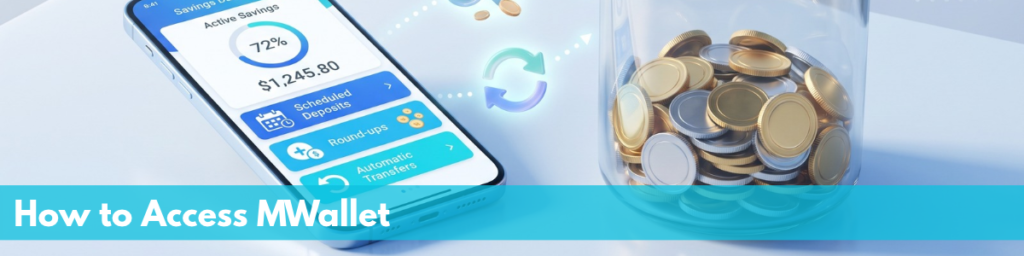
MWallet is built into the Mombo App. If you are already a Mombo Sacco member, you can access it through your app.
If you are not yet a member, download the Mombo App from the Google Play Store or Apple App Store, create your account, and follow the membership registration process to get started.
Once you have access, you can explore the wallet’s features and find the ones that best suit your financial needs.
Most of us use a digital wallet because we need somewhere to send, receive, and manage money.
MWallet gives you more reasons to make it part of your everyday financial routine. From convenient payments and bill splitting to automated savings and scheduled transactions, it offers tools designed to help you manage your money more efficiently.
Your wallet can do more than hold your money. It can help you move it, organise it, and build better financial habits along the way.
Explore MWallet on the Mombo App and discover how much more your digital wallet can do.
Editorial note: Before publishing, confirm that all the described features, including Split a Bill, the four automated savings rules, Multi Level Approvals, Privacy Anonymisation, and Payment Scheduling, are currently available to members. This will help ensure the article accurately reflects MWallet’s functionality.
Facebook
Twitter
LinkedIn
WhatsApp
Your Wallet, But Make It Smarter: A Complete Guide to MWallet
Your Wallet, But Make It Smarter: A Complete Guide to MWallet Author: Abigael Wanjala Date: October 29, 2026 Comments: No Comments Let us be honest about something.Most digital wallets do the same three things. Send money. Receive money. Check balance. And that is fine. Those three things are useful. But
The Short Game That Changes Everything
Author: Abigael Wanjala Date: October 22, 2026 The Short Game That Changes Everything Most conversations about saving are really conversations about patience.Save now. Wait. Trust the process. Think long term.
You Have Been Leaving Money on the Table. Here Is How to Stop.
Let us start with a number. Ksh 17,500. That is what you earn as a member if you refer just ten friends who each join on the Emerald savings plan.
So Apparently AI Has Been Managing Your Money This Whole Time
Author: Abigael Wanjala Date: September 24, 2026 So Apparently AI Has Been Managing Your Money This Whole Time Okay so raise your hand if you have ever done any of
The Goal Everyone Should Be Saving Towards Together
Author: Abigael Wanjala Date: September 17, 2026 The Goal Everyone Should Be Saving Towards Together Let us talk about group money for a second. Not the Chama that fell apart
The Wallet That Grew Up
The Wallet That Grew Up Author: Abigael Wanjala Date: September 10, 2026 Comments: No Comments There is a moment most of us remember, even if we do not talk about
You Named It. Now Save For It.
Author: Abigael Wanjala Date: August 27, 2026 You Named It. Now Save For It. Somewhere on your phone right now, there is a screenshot.Maybe it is a holiday destination you